3 tips to improve your passwords
Date: 5 October, 2021It is a fact that the human factor is the weakest link in cybersecurity, probably a cybercriminal who wants to access one of your accounts will find it easier to hack you than the servers of large companies like Facebook or Amazon, I’m not saying that this does not happen and it is true that every X months users receive some kind of news that the database of a certain company has been breached and leaked. That’s why I want to show you my top 3 tips to improve your password security.
I think that ordinary people receive very little education about cybersecurity and how to safeguard their accounts and privacy. So today I have decided to write an article to give you some tips to improve your password security.
How do I know if my passwords have been filtered out?
Surely you have heard the news that the database of a large company has been hacked or leaked, often when this happens the company sends us an email suggesting that for security reasons we should change the password. This does not take away the fact that most online services store their users’ passwords in encrypted form (through a hash), but considering that this database has been leaked and published there is always the possibility that someone with bad intentions, with enough computing power and enough free time can access one of your accounts trying all possible combinations to obtain the same hash of the leaked database.
That’s why I want to let you know the page haveibeenpwned, this page collects the emails that have appeared in some hacked database leaks. Its purpose is that you can check if your email address and password has ever been leaked and when.
The first thing we will find on the page is this interface, in the search box we will type the email we want to check and hit the pwned? button:
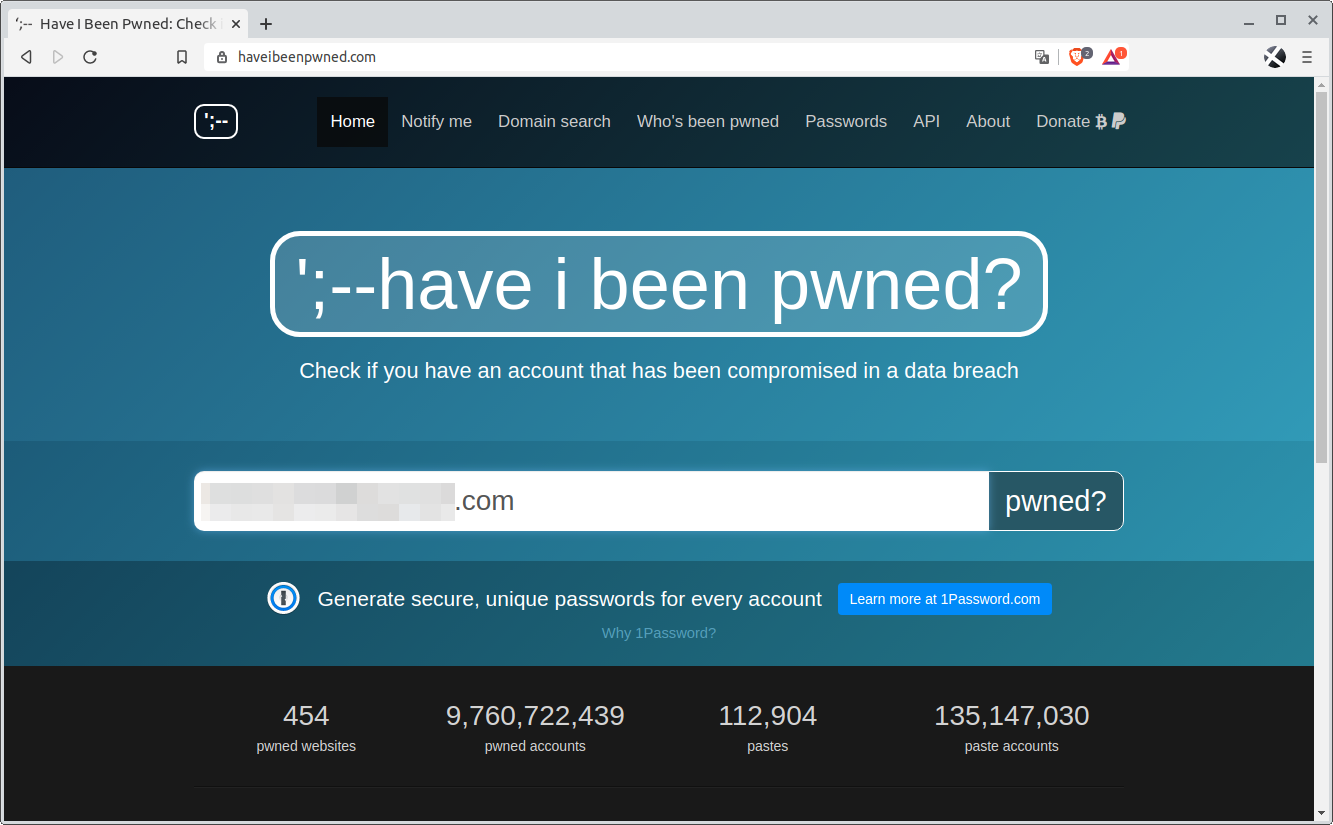
After this the page can turn red or green. If it turns red, we must go down a little and we will see the pages that suffered the hack in which our data was leaked.
In the following example you can see how in two pages in which I was registered with this email were hacked in 2017 and 2019.
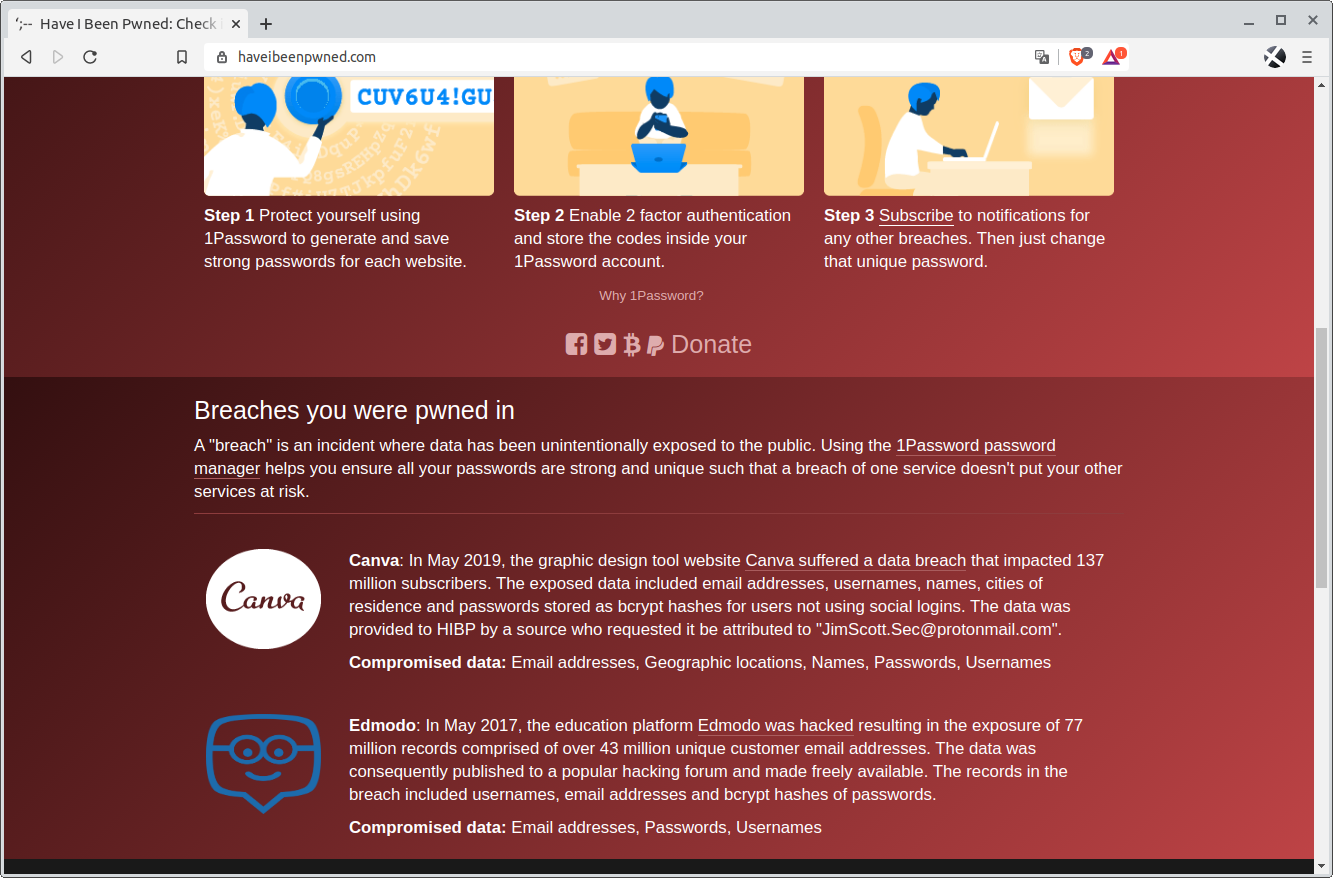
If you have tested your email addresses and it turns out that you have a compromised account, you should make a small judgment call about whether you use the services those sites offer, and if you don’t use them delete your account.
The second thing you should reconsider is to change your password on other sites where you have used the same email address and password, as the bad guys will most likely try to log in with it on the most popular sites.
Enable two-factor authentication on all accounts
Another thing you should do in all your social network accounts and email accounts is to enable double authentication, this option means that when you try to log in on a new device you need to enter a code that is sent to you via SMS to gain access. This way even if a criminal has your password, he will also require access to your text message box to access the code.
This way you are adding an extra security barrier to your accounts, since you will not be able to access only with your password.
Here is a list of links that explain how to enable this in different services:
| Gmail | Microsoft | Dropbox |
| Amazon | ||
| PayPal | Apple | Yahoo |
Use a password manager to improve your passwords
You should reconsider using a password manager. A password manager is nothing more than an encrypted database that allows you to access the rest of your passwords with a single password, and all password managers allow you to create secure passwords.
When we talk about secure passwords we must take into account…
- Do not use the same password on two different pages.
- Use long passwords.
- Add a special character.
- Do not use personal data for your passwords.
Let’s not fool ourselves, when we are registered in many pages we almost never comply with all these recommendations. That’s why I want to show you a page from the cybersecurity company Kaspersky, this page allows you to check how secure a password is. This page will not store any type of password that you enter in it, its only purpose is to tell you how long it could take a home computer to try all the combinations to get to your password and inform you if this password has been leaked in any database.
The tool is called Kaspersky Password Cheker and you can access it by clicking here. I must tell you that although Kaspersky’s page says that your password can take 20 days to be found out by a conventional computer, you must take into account that criminals use Botnes (click here to learn the basics about botnes) from hundreds and thousands of computers to find out passwords, so it could be found out in much less time.
When creating a new account on a website, a password manager will help us to comply with the security recommendations in a few seconds.
In the market there are a variety of password managers, some are private services that store our passwords in the cloud of some companies and others are Open Source and do not store any password in the cloud, but in our devices.
I chose KeePass2 (download link here), because apart from being developed by the community, it does not store my passwords in the cloud of any company.
Something that also made me choose KeePass2 is that its competitors have suffered in the past some attack or vulnerability in their servers, a risk that KeePass2 eliminates by storing passwords locally.
Since KeePass2 is open source, this has helped the community to detect improvements and develop the same application for different operating systems, so you can have your passwords on all your devices. Install KeePass on Android.
These would be the main recommendations I make to everyone when I talk about passwords, I hope they help you and comment any more if you see it necessary. Thanks!
Leave a Reply